Showing posts with label Java. Show all posts

Tuesday, January 25, 2011

My Students Laugh, HaHa, Laugh, at the HN Naysayers ;)

I'm gratified by the response my recent article Should I Still Learn Java? has received, especially at sites like Hacker News and DZone.

Among the comments at HN were some folks who felt that Java is a poor choice of language for beginning programmers. There were a number of reasons given, many of those reasons are pretty far removed from the beginner, I feel. Then there were some that trotted out that other old argument, the complexity of the "Hello, world!" program:

class HelloWorld{
public static void main(String[] arg){
System.out.println("Hello, world!");
}
}

It's an ugly-looking mouthful, I'll admit. But a complete obstacle to learning Java? Not even close.

If you're studying Java on your own, there's a lot in there that tends to get glossed over in texts on Java. In writing, it's hard to strike a balance between infodumps and magic code when you're trying to maintain a pace to the narrative of the book. I've broken down the elements of the basic program in several articles at my other blog A Beginning Programmer's Guide to Java, including the articles on the Basic Program Skeleton, Code Blocks, and main().

But how long does it take to cover this material in class? Can it be done without sending the students into the Land of Nod?

The Proof is In the Results

Actually, it's far easier to cover in class than it is in print. I teach the basic elements of Java to both my 6th-8th grade classes and my high school classes. Here's how things went today, in my 6th-8th grade class:

I introduced the class to what we were going to do today (write a simple program in Java, compile it and run it.) I had the students open a terminal window and a text editor then started writing out the HelloWorld program pretty much as it appears above. I explained each word as I wrote, as I do in the articles linked above.

Along the way, I got class interaction to make sure they were with me, that I wasn't just talking to the air. It gave some of them the chance to affirm their ideas about what I was telling them, others that had been a bit lost got it when we reviewed it.

I had them enter each line in their editor when I finished writing each line on the board. I explained the value of proper indentation, capitalization and the parens as part of the naming of different elements in Java (class names, method names, constructor methods, member fields.)

The class was able to anticipate the last curly brace in the program, and the lack of any indentation. It's great when they can already see where you're going.

Then I went over how to save and name the file, having them use 'pwd' in their terminal window to make sure they saved the file in that directory from the text editor. After saving, they used 'ls' to see that the file was there (one student caught an error that way.) pwd and ls were commands they were already familiar with, as well as general use of the command line.

Then I had them use 'javac' at the command line to compile the program. A few students had capitalization errors on the class name, and there were some missing semicolons. After a moment, the files had been corrected, saved, and everyone had a successful compile (we reviewed the "no news is good news" rule for the Unix command line.)

We then used 'java' to run our programs.

Elapsed time: 30 minutes.

Did Anything Stick?

Then we reviewed the program, word by word. I pointed at each word (including each part of System.out.println() ), they told me what it meant. I let each student have a go before affirming what it meant. They nailed them all, except for static. That was the only word that they were fuzzy on. In some cases they had a sense, but couldn't express it clearly. In other cases they just plain weren't sure.

So we reviewed what "static" does in the program.

Then I told them to change what the program prints, and add additional program lines to print things of their own.

They went to their editors, I hovered over. A couple of students needed reminders that the program needed to be recompiled once they'd saved an edited version.

Then they all had programs that had been customized, run with no errors.

Total elapsed class time: 40 minutes.

Then we talked about the differences between the source code and byte code files (see The Code Code), looked at the .java and .class files with 'cat' and 'strings' (a new command to them).

After looking at the .class file with 'strings', we talked about where the extra lines like '/java/io/PrintStream' came from and what they did. They nailed it, but then we've talked a lot about I/O in class.

I did a quick review of all the words in HelloWorld.java one more time, then spent the last few minutes of class covering what we'll be doing in future classes.

Finally, I asked them how complicated they thought today's lesson had been. The consensus was "pretty complicated, but not too complicated." I asked for votes for "really complicated" and got none.

Total elapsed class time: 55 minutes.

Preparation

Part of the reason for getting so much done so quickly comes from the value of face to face interaction between student and instructor. This doesn't happen with books in most circumstances.

Part of the reason for success like this comes from preparation. The students already knew the basic tools of the command line and the text editor. The commands 'javac', 'java', and 'strings' were new in this class.

The students had previously edited HTML by hand. Want to talk complicated? Try this:
<html>
<head>
<title>Hello, World!</title>
</head>
<body>
<h1>Hello, World!</h1>
<p>This is my first web page.</p>
</body>
</html>
We do that in one class in the first semester.
By the end of the class we've had time to either add images or start styling our text. Kinda helps put the whole "boilerplate code" issue of Java into perspective, doesn't it? I seldom hear it claimed that HTML is too complicated for beginners to learn.

We've also done some programming in BASIC this year. The old GWBASIC, in fact. No graphics or sound, but just some simple text and calculation programs (like an insult generator and a die roller) inside the GWBASIC interpreter environment.

I drew on all these things, as well as our other discussions about the internals of the computer system and its OS in the course of this lesson.

Will It Still Be There Next Time?

If I don't follow up with anything else, no, of course it wouldn't stick as anything other than an exposure experience. But there will be follow up.

My 6th-8th grade classes meet once a week. One week is a long time for kids at this age. My high school classes meet twice a week, for 85 minutes per class. I cover a lot more material, faster, with these students.

Based on past experiences teaching this same material, I expect most of the class to remember what the program does, and the meanings of the following words once they see the program again:

public
class
void (for some reason this one seems to stick)
System
out
println

About half the class will remember the function of the curly braces versus the parens. About half (usually the other half) will remember the capitalization rules.

One or two will really remember 'static', the rest will need a refresher on that.

Which, for students from 11 to 14 years old, with only one hour a week, is pretty darn good. When I originally designed these lessons, I expected to repeat all the material from the first lesson in a slightly different way in a second lesson to get even half the material to stick.

As it is, the second lesson usually consists of about 10 minutes of review from HelloWorld.java, then we go on to introduce the Scanner and start accepting keyboard input into our programs (see Getting Keyboard Input for Java Apps, we end up with a program pretty close to TrollTalk.java.)

Is Java Too Complicated?

What do my students say to the assertion that Java is too complicated for a beginner to learn?

They laugh at it.

People who assert that the boilerplate in a simple Java application is too much have either had a poor exposure to the language themselves (please check out my other blog at A Beginning Programmer's Guide to Java, I wrote the site just for you), or they're advanced programmers making mountains out of speed bumps as stalking-horse arguments against Java.

Java isn't simple, but it's not too complex for a beginner.

p.s.-I love Hacker News myself, and take all my students there to open it up to them.

Thursday, August 26, 2010

Making the Mac Speak in Java

The Mac "say" program is an endless source of fun and mischief. In class, I like to make the Macs talk to the students sometimes using the say command from an ssh login from across the room.

While preparing an article on calling system commands in Java, I decided to combine that with the Mac "say" command in my Simple Video Game Kernel.

I'm posting this here, since I avoid posting platform-specific code at my Java programming blog.

Give it a try, if you've got a Mac handy, and enjoy.

/* A simple video game style kernel
by Mark Graybill, August 2010
Uses the Timer Class to move a ball on a playfield
30 times per second. Add additional "players" to
the playfield with appropriate control routines to
make a full game.

This version adds speech to the poor little ball getting
bounced off the walls. Mac-only, I'm afraid.
*/

// Import Timer and other useful stuff:
import java.util.*;
// Import the basic graphics classes.
import java.awt.*;
import javax.swing.*;
// import java.lang.Math;

public class VGKernel extends JPanel{

// This is not a recommended coding practice, just a shortcut.
public Rectangle screen, ball; // The screen area and ball location/size.
public Rectangle bounds; // The boundaries of the drawing area.
public JFrame frame; // A JFrame to put the graphics into.
public VGTimerTask vgTask; // The TimerTask that runs the game.
public boolean down, right; // Direction of ball's travel.

// Create a constructor method:
public VGKernel(){
super();
screen = new Rectangle(0, 0, 600, 400);
ball = new Rectangle(0, 0, 20, 20);
bounds = new Rectangle(0, 0, 600, 400); // Give some temporary values.
frame = new JFrame("VGKernel");
vgTask = new VGTimerTask();
}

// Create an inner TimerTask class that has access to the
// members of the VGKernel.
class VGTimerTask extends TimerTask{
public void run(){
moveBall();
frame.repaint();
}
}

// Now the instance methods:
public void paintComponent(Graphics g){
// Get the drawing area bounds for game logic.
bounds = g.getClipBounds();
// Clear the drawing area, then draw the ball.
g.clearRect(screen.x, screen.y, screen.width, screen.height);
g.fillRect(ball.x, ball.y, ball.width, ball.height);
}

public void moveBall(){
// Ball should really be its own class.
if (right) ball.x+=ball.width/4; // If right is true, move ball right,
else ball.x-=ball.width/4; // otherwise move left.
if (down) ball.y+=ball.height/4; // Same for up/down.
else ball.y-=ball.width/4;
if (ball.x > (bounds.width - ball.width)) // Detect edges and bounce.
{ right = false; ball.x = bounds.width - ball.width;
try { Process p = new ProcessBuilder("say", "-v", "Ralph",
"[[pbas +18]] [[rate +70]] Ow").start();}
catch(java.io.IOException io){}
}
if (ball.y > (bounds.height - ball.height))
{ down = false; ball.y = bounds.height - ball.height;
try { Process p = new ProcessBuilder("say", "-v", "Ralph",
"[[pbas +18]] [[rate +70]] uh").start();}
catch(java.io.IOException io){}
}
if (ball.x <= 0) { right = true; ball.x = 0;
try { Process p = new ProcessBuilder("say", "-v", "Ralph",
"[[pbas +18]] [[rate +70]] arg").start();}
catch(java.io.IOException io){}
}
if (ball.y <= 0) { down = true; ball.y = 0;
try { Process p = new ProcessBuilder("say", "-v", "Ralph",
"[[pbas +18]] [[rate +70]] uh").start();}
catch(java.io.IOException io){}
}
}

public static void main(String arg[]){

// Create a Timer object and an instance of VGKernel
java.util.Timer vgTimer = new java.util.Timer();
VGKernel panel = new VGKernel();

panel.down = true;
panel.right = true;
panel.frame.setDefaultCloseOperation(JFrame.EXIT_ON_CLOSE);
panel.frame.setSize(panel.screen.width, panel.screen.height);

panel.frame.setContentPane(panel);
panel.frame.setVisible(true);

// Set up a timer to do the vgTask regularly.
vgTimer.schedule(panel.vgTask, 0, 20);
}
}


The funny looking [[pbas +18]] type things in the "say" commands are inline commands to the Mac speech synthesizer to change the characteristics of the voice. You can omit these if you want to make the commands easier to read, then add them back in to see what affect they have (or play with the numbers.) You can find out more about using the Mac speech synthesizer at Apple's developer site.

Friday, August 13, 2010

Greenfoot's Greenroom: What a Bonanza!

I finally got around to registering for The Greenroom, a support area for teachers using the Greenfoot framework for Java in their classes. All I have to say is, Wow!
The Green Foot of Greenfoot

If you're a teacher using Greenfoot, or thinking about it, take the time to sign up for access. Access is limited to those who can show some bona fides to show that they're teachers, not sneaky students trying to wreck the teacher's lesson plan. ;)

That's what kept me from signing up for some time, I just didn't take the time to dig up something with my name on it at my school's website to show my status. Well, I finally took the time to do it, and now I wish I'd bothered a long time ago!

The resources available include a wide selection of very well presented lessons, exercises, and information on using Greenfoot with Eclipse, etc., etc. Then there's the discussion boards. I follow the Greenfoot and BlueJ mailing lists, but the Greenroom discussions have an extra dimension to them, particularly from the teacher's perspective.

If that's not enough, that's also where to find the announcement of the forthcoming Greenfoot 2.0! My excitement about Greenfoot 2.0 is the new editor, with syntax highlighting and code completion. I can't wait to get my hands on it, I'll post about it when I do.

Wednesday, August 4, 2010

Java, Javascript, and the Installation Hurdle

For the past three years I've been teaching high school computer classes while using Java to teach the basics of programming in class. My usual routine is to teach HTML and CSS in the first semester, which provides the students with many of the basic skills of programming. Then in the second semester we start actually programming with Java.

The past two years I've taken advantage of the Greenfoot framework for Java. It eases the use of graphics and sound in Java programs, but more importantly it provides a visual representation of classes and objects. This greatly eases the burden of teaching what object oriented programming is all about, as well as demonstrating its advantages.

My reasons for using Java are several. Briefly, it's multi-platform. It's a "real" language, in that it is used outside the school and professionals are employed to use it. It incorporates the available facilities of the system, including graphics and sound, natively.

One of my hopes for my students is that after using Java in class, at least some of them will use it outside class as well. Unfortunately, for many of them the installation process has been a roadblock to doing this. Particularly in Windows, where an extra step has to be performed to add the Java SDK to the system's path. The students with Mac OS X at home are lucky, they don't have to install the SDK, it comes with the OS. The Linux users are usually capable of managing it for themselves. But about 80% of my students are under Windows outside of class. And the Java SDK install isn't what they're used to.

One potential solution to this would be moving to Javascript. There's no installation barrier there. One reason I've not used Javascript in class is that graphics subsystems like Canvas and SVG are not uniformly available. Even when IE9 comes out as a regular product next year, those students with Windows XP systems at home (about 75% of the Windows-only homes are running only XP, based on my surveys in class), this problem won't be entirely solved. The difference here is that the install of a second browser is a lot easier than a Java SDK install.

The installation barrier won't be the only thing my choice of language in class hinges on, but it's certainly a significant factor. Exactly why the Java SDK install has remained so hostile to Windows users is unclear to me. It smacks of elitism on the part of Sun/Oracle (if you can't hack the install process, we don't want you using it), but then the old saw about not ascribing evil intent where simple incompetence will suffice comes in. Maybe they just don't think it's a problem.

I expect to at least introduce Javascript this year as part of the HTML/CSS segment. Whether I do so and how deep we'll get into it will depend heavily on the character of the class--the chemistry of the students in any given class can make things vary a lot from class to class. Sometimes it's a struggle to get past <html><head><title><body>, other times I find them getting ahead of my lecture by several classes during one open work period.

Another factor in my willingness to consider using Javascript as the primary language in class is the advances the language has made recently. The ECMAScript Edition 5 specification is a big improvement on earlier specifications for the language. Likewise, the viewpoints of Douglas Crockford have influenced my impression of the language and its use.

If you're interested in Javascript, I highly recommend his book: JavaScript: The Good Parts.

Friday, June 18, 2010

Another Semester with Greenfoot

Greenfoot continues to be a productive tool for my high school computer classes. This year we had two students with a strong programming background in the class. This turned out to be both good and bad for the teams. In both cases, the experienced programmers tended to dominate the teams and their work. They became a bottleneck in both teams to one degree or another.

I spent more time in class on project management than I have in prior classes to help deal with this. It worked well, but it didn't relieve all the problems the teams had.

In my classes, I do as much as I can to allow the students to organize themselves and run their own projects. At the high school level, I feel the students are ready for more autonomy as well as the opportunity to struggle with their assignments. I still put up some "guard rails", but as much as possible I let them run their own project teams.

Each team had a unique set of problems to overcome. In both cases, they managed to produce a playable game in spite of the problems. I managed to get every student to spend some time hands-on with their project's code and gain confidence in their ability to code on their own. And in spite of the groups' problems, both teams managed to stick to the class schedule. I build in a small amount of slop time at the end of the project schedule, but for the first time since I've taught this class, the teams had complete working code at the end of the scheduled time.

The high school team projects for the semester are online. We had two development teams:
"Bubbles" was developed by Ryan, Keeghan, and Coleton.
Team blog at: http://anysomething.com/blog/
Finished game is online at: http://www.greenfootgallery.org/scenarios/1416

"Qake" was developed by Eva, Caroline, Ian, and Jeremiah
Team blog is at: http://qakedevelopment.blogspot.com/
Finished game is online at: http://greenfootgallery.org/scenarios/1417

These links are also available on the class web page at: http://acedev.com/education/hscomp.html

Wednesday, March 4, 2009

Game Development with Greenfoot: Class Projects

In my high school class we've started developing some games using the Greenfoot framework for Java. We have three teams of four students, each working on one game. We ended last semester with each student creating a proposal for a game and presenting it to the class. After the proposals were given, the class members each voted secretly on the games they would like to develop, listing all the ones proposed from the one they're most interested in working on to the one they're least interested in.
The voting itself was interesting. I was surprised by the number of students who did not vote for their own game as their top choice, or even in their top 6. Only 4 students voted for their own game first, and one other voted for their own as their #2 choice. The rest all voted themselves down below #6.

We had one game that several people liked, but the creator didn't. Otherwise, the games that drew the top votes were only ones that the creator chose as their #1 pick. When I was putting together the teams, it was pleasant that everyone got on a team developing one of their top 3 picks. In fact, 8 of the class members are working on their #1 pick.

Each team is headed by the game's creator, who takes the role of producer in the team.

The games that got selected for development are:

Day 3
Day 3 is planned to be a side-view arcade shooter with stick figure graphics.

Farm Frenzy
Also known as "The Purple Piggy Game", this is an arcade maze game.

Off-Road Xtravagaanza
A side-scrolling motorcycle simulation, this is probably the most technically challenging of the games to implement under Greenfoot.

Each of the teams has gotten off to a good start. As you can see from the links above, two of the teams have gotten development blogs started, and the third isn't far behind (they've had some team members absent, slowing their progress a bit.) We're presently interleaving our work on the games in Greenfoot with lessons on Java and Greenfoot. So far this has been working out well, though we're still at a very early stage at this point.

One of my biggest fears has been poor workload balancing among the team members. So far the teams have been managing this well on their own. Some of the class members combine a "take charge" mentality with strong skills in both programming and art, so my fear was that they'd be doing the work while the others stand around wondering what exactly they're supposed to be doing. Fortunately enough of the class members feel like they've got something to contribute to their projects that they haven't been feeling left out.

With respect to Greenfoot I've been able to largely concentrate on its mechanisms for teaching and developing objects in our class's formal lecture. With the features of the API, I've been able to simply point students in the direction of the API documentation, programming manual, tutorials and videos for Greenfoot and leave the rest up to them.

The Macs we have in the lab have been the most popular systems for development. We only have four, and they get mobbed. Then, at any given time, we have another 4 Windows XP systems in use, as well as 2-3 systems booted with a Ubuntu LiveCD (mostly for running The Gimp.)

Tuesday, February 17, 2009

DarkBASIC Professional Update

I mentioned some beefs about DarkBASIC Professional in an earlier post here. I have a bit of an update on what I had to say there.

First, there's the problem that DarkBASIC Pro had with my version of DirectX. DarkBASIC Pro requires DirectX version 9.0c or later, according to the website and the pop-up message I got. The pop-up message I got from DBPro claimed that I had DX version 9.0. When I ran DXDiag, it begged to differ, reporting that my system was running 9.0c.

Since my last post I decided to go ahead and do an update of DirectX. Since I was doing the download of the DX update on a different system than I was going to be installing it to, I downloaded the redist package, the same thing that developers can include on the disk when you buy a game. This means that I got the August 2008 version of DX rather than the November 2008 version for reasons known only to Microsoft, but no biggie.

I did the install, it reported updating a bunch of individual files. I ran DXDiag afterward to make sure all was kosher, and to check the version. Version 9.0c, it says. Verrry innnteresting.

I love how Microsoft respects the correct use of version numbers...

Anyway, I bring up the DarkBASIC Pro Trial version and do a quick program and compile. No more nasty notes about my DirectX version. Everybody is happy. Apparently my new version of DX 9.0c is more puissant than my prior version of 9.0c. If there were a specific file or files with versions that DarkBASIC Pro needed (d3d or whatever) it would have been nice if they'd said so, it would have eliminated at least some confusion.

Item number 2 is the complaint I had in my prior post about DBPro needing to run as Administrator. Apparently that is the case. In the instance of Vista, for example, one must right click the icon, click a tab, and allow DBPro to Run as Administrator in order for it to do what it needs.

This is an Intensely BAD Thing. Especially under Windows.

It also means that I could never consider DarkBASIC for classroom use. I like to give my students a lot of leeway, but to be honest sometimes they do things with the systems that make it difficult for others to use them. Each of the different classes that use our lab need to be able to come in and use the systems with a minimum of trouble. Our sysadmin is usually not immediately available, he's a thinly spread resource, and he doesn't need yet more work.

On top of that, I don't like to program as an administrative user, on any OS. Life is hard enough without having a program I'm trying to debug hosing the system I'm writing it on. I want some basic guard rails. I do have crash and burn systems, but they're not the one I'm doing my editing, compiling and first run on.

Another strike against DarkBASIC for the classroom is that it would cost my school money. Java, Groovy, Ruby, Python, gcc, Common LISP, and many other useful development tools are free. In many cases in both senses of the word.

Is DarkBASIC bad? No, not entirely. Running as administrator is stupid, but only mildly evil. Coupling it with the fact that it's a programming language targetted at newbie programmers makes the design decision to run as Admin extremely stupid. A result of laziness, or an unwillingness to deal with the vagaries of MS's OS, perhaps, if we were to spread the blame around a bit.

On the good side, the DarkBASIC folks do a good job of marketing. They manage to excite people into really believing they can write killer 3D software. DarkBASIC Pro itself is decent at delivering on this promise from what I can tell so far as I've used it. I think they withhold too much information about a language they've already sold you in the interest of selling additional books and materials. The manual that comes with the basic $70 package is a bad joke on the poor beginners who get it.

Bottom line, I think most beginners would be better off with something else. However, there are some people for whom DarkBASIC Pro is going to hit a chord that other languages won't. And maybe once they've gotten an entree into programming, and fought with DBPro for a while, they'll be ready to move on to something else. Any programmer should know more than one language within two years of the time they start programming, anyway.

And tell me if I'm wrong, but there just aren't a lot of places looking to hire DBPro programmers. VB, yeah. Java, yeah. C++, yeah. DBPro? It's more for the do-it-yourselfer. It's a lot like the older BASICs, but not much like VB, I'm afraid. So knowing DBPro itself isn't likely to land a programming job. But then that's not the sort of language it's built to be.

Thursday, December 25, 2008

Merry Christmas!

Here's wishing everyone a wonderful holiday. I hope you got some great computers, free OSes, preinstalled software development packages, and clean compiles with no errors and no warnings worth mentioning.

While you're preparing for the new year, you're going to need a way to keep track of the date. You could do a lot worse than to pick up a Traveller calendar. It's got great science fiction art contributed by amateurs. Not that you can tell by the quality of the art. I've seen worse--far worse--in many professional publications. I've got one hanging next to me here at my post, I'm looking at the ship Azhanti High Lightning by Andrew Boulton now.

It's been a great holiday for us, and it's not even over yet.

The last couple of classes I had my Middle School computer class playing a MUD in the classroom. We had a good time, and the kids didn't even realize they were getting educated in the process.

My high school class was finishing up their proposals for video games, it looks like we're going to have some great ideas to work with. Even some of the really simple game ideas have some interesting twists to them. When school starts up again they'll be giving their presentations (assuming they still remember what they were doing ;) and we'll be selecting the games we'll be developing once we get through some Greenfoot tutorials and some Java basics. But the high schoolers found out the middle schoolers have been playing the MUD, so I've promised them a few classes of MUD before we start programming. After we've done some Greenfoot, though, I wonder if they'll regret it. :)

Saturday, December 6, 2008

Preparing for Programming (with Greenfoot)

In my high school computer class we're starting to look forward toward next semester when we begin programming. I like to have an assignment in the first semester of class where the students prepare a document with images, tables, and such. If possible I like to make it something they're actually interested in writing. And I have them tie the paper to a presentation to the class.

This year and last year I have had that paper be a design document or design proposal for a video game. This year we're going to actually use the proposals. The students will be presenting their video game concepts to the class, they'll get feedback and an opportunity to touch up their presentations then present them again. After that we'll vote to choose which games we'll actually work on developing next semester, and form small development teams to work on them (students with less of an interest in programming and more of an interest in art will be put to work producing visual resources for the programs they're interested in working on.)

In spring semester, we're going to be programming with Java, and this year I'm adding Greenfoot to the curriculum. In the past we've only managed to do a little bit of graphics in the time we have. I'm hoping that with Greenfoot we can make graphics and sound a much more integral part of our work. I've already got the students familiarizing themselves with what Greenfoot can do, so that they don't expect to develop full 3D first person shooters in one semester of introductory programming.

I've had them visit the Greenfoot Gallery to see what others have done with Greenfoot, and we've talked about how ambitious it would be for them to develop different types of programs. I've asked them to organize their design documents to have a core functionality described in the body of the document, with possible extensions described in an appendix. So hopefully the proposals will be developed enough to be interesting without being overly ambitious.

Since I first looked at Greenfoot the materials for learning how to use it have grown. There are a number of videos added to the video library they maintain. Likewise, the other documentation has grown, and the Greenfoot mailing list is quite active.

One of my middle school students has decided to take on Greenfoot on his own outside class. He saw the link on my class website, got interested and downloaded it for himself. He needed a hand getting the Java SE JDK installed on his home system, but with some basic instructions and the loan of a disk to save him the download time he's got that running now, it seems. He's worked through a few of the tutorials, it'll be interesting to see what he produces.

At this point I intend to teach only the most basic elements of running and compiling Java programs at the command line before we jump into the Greenfoot tutorials in class. It will be interesting to see how things go. Will Greenfoot drive an interest in learning how Java works to obtain desired results in the students' programs, with learning of Java smoothly interleaving with the work in Greenfoot? Or will we hit a plateau where we have to backfill with more formalized teaching of Java before we move forward? It will be interesting to see how things work out.

Either way, we'll certainly keep it fun.

Thursday, August 7, 2008

Mini-Review: Beginning to Program in Java for Dummies by Barry Burd

I've posted a mini-review of the book Beginning to Program in Java for Dummies on my Java beginners' blog A Beginning Programmer's Guide to Java.

Monday, August 4, 2008

The Anti-Java Professor: Still Off-Base

When we first heard from "the Anti-Java Professor" it created quite a stir. This made it inevitable that we'd hear from him again.

I disagreed with his points earlier, and I disagree with his points and his reasons now. I think I stand in a pretty good position to do so. As an instructor, I'm not in a position comparable to his, I'm just a part-time high and middle school instructor. Otherwise, however, I am an aerospace engineer. My work covers a wide range of systems for aircraft, launch vehicles, satellites and probes. I've done design work for nuclear systems and man-rated systems. I've been doing safety-critical design work for about 28 years now. My work includes mechanical, electronic, and software design--usually more than one at a time on any given project.

So let's take a look at what the "Anti-Java Professor," Dr. Robert Dewar, is saying this time around.

On a high level, the presentation suggests that universities are turning out what are in essence incompetent script-kiddies by using Java in the core curriculum classes for Computer Science. The claimed cause is all those libraries that Java has, insulating the student from "real" programming.

He states that Java programmers aren't employable because their function is too easily outsourced. Without the ability to create "complex systems" their skills aren't up to snuff. His concept of what makes for a "complex system" seems to be circumscribed by an aerospace/defense mindset, as he says that Java does not appear in complex systems, only in "trivial" applications, using the example of code used in aircraft as the place that Java doesn't appear. C and Ada are called out as being the "suitable" languages.

I've been around long enough to remember when C was the latest hazard to our aircrafts' software. I remember when our poor students were being under served by that poor language, Pascal. When the only thing you found in "real" applications was languages like JOVIAL, PL/I, machine and assembly language. The fuss he makes about Java sounds like the fuss over barbed wire to me. That awful, poorly structured, type-unsafe language C was the end of the world to some. You didn't find it in aircraft, 25 years ago. It had all these library functions--how could the programmer know what lurked inside them? How could you validate code written on top of them?

Well, it's been managed. There are compilers and libraries for C that are validated and well documented. Now there's C code flying.

Does that make C a better language? No. There are plenty of other uses for C, from writing entertainment software to system code, that don't require the same level of code validation as an aircraft's instrumentation, communication, and control systems. C came to aircraft because it was an effective language to code in and for writing maintainable code, and because there was a huge base of labor to draw on.

Java has those advantages, too. Maybe it's time to get a JVM validated for use with safety-critical code? That's all it would take to get Java in the air. In fact, it would seem to me that a validated runtime environment like a JVM with the appropriate low level reliability features could be a safer software environment than one based on C, or even ADA. In most systems that have the space and processing time available (which is many now) a base environment with applications running on top of it is typical. In some cases this is a high reliability RTOS, in others it's a specially-written core system. There's no reason it couldn't just as well be a hi-rel JVM.

There's also the matter of limiting one's perception of "complex systems" to aircraft code. Distributed database systems and transaction processing systems don't count as "complex"? Why, because the programmers don't necessarily have to code every algorithm from scratch? Java has been most successful on the server, in some cases acting as a translation layer between an underlying application and the web presentation (what I'm presuming Dr. Dewar considers "trivial"), in other cases it is far more than that. Enough to be called "complex" in my book. Does anyone die when this code goes down? Not necessarily, but that's not a measure of complexity.

Does Java make programmers incompetent?

Dr. Dewar claims so. He lists some questions he'd use to screen applicants. What's interesting about these questions to me is that I think the average BSCS grad would have had just as much trouble with these questions 30 years ago as they would today. I also consider these questions to be just as narrowly focused as his view of complex systems. Paraphrased, the questions are:

How would you find an error caused by improper compilation by the compiler?

How would you identify and deal with a bug in your processor's implementation?

For as long as I can remember, the undergrad CS program has only required two classes that even address these areas. One class in hardware, one in assembly language. Both are brief introductions to their subject. There isn't time in a one-quarter or one-semester class to get beyond this, particularly when it's first exposure for the majority of students. Operating systems classes are no longer about system level code, and haven't been for a long time. There's far more to talk about in an operating systems class than implementation of program loaders and I/O drivers these days.

The first question could be covered to some degree through the use of a plain debugger. I think the solution he'd look for would be to go a step further, and look at the object code. Usually a student will have gone through these steps at some point in their education, but they aren't, and haven't been, something that is routinely performed in most programming classes at the undergraduate level, no matter what language is used.

Hardware classes at the undergraduate level spend a lot of time on flip flops and gates. The better ones talk about processor and system architectures. Identifying bugs in silicon is usually well out of scope.

There's also this thing called the "internet." Seldom do we have to be pioneers when it comes to using compilers and processors any more. Before, there were long delays in information transfer. Likewise, if you're writing code for aircraft, you're not going to be an early adopter. Looking up known issues is likely to be a far more useful skill than finding them yourself the hard way. And if you're coding for ASICs, well, expect some OJT and experience between the time they hand you your sheepskin and the time you lay hands on code.

When I went through college, we did have some undergraduates who knew this stuff. Not one of them learned it in school. When you came into any class, you could quickly pick out the enthusiasts who made a hobby of computers and electronics. And this group mostly didn't wait until they had a degree to go out and get a job using what they knew.

There are study programs that encourage a lot of hands-on work. And that get students out into internships in a real working environment. These are great, but a student can do the same thing on their own as well. By the time I went to college I had held a job as a programmer, a job as an electronic technician, and had run my own company selling electronic and computer systems of my own design. In the case of universities and colleges, my own feeling is that waiting for a "senior project" to do practical work is waiting too long. The problem is that the curriculum is so filled with classes of low value that it prevents a student from both getting a good GPA and holding down a job relevant to their major. It's possible, but it's a good way to burn out a promising programmer, too. Unfortunately, accreditation boards don't seem to reward institutions for getting students into real work, but they seem to support lots of non-major classes.

An attack on the Java programming language as the source of the job market's ills is misplaced at best. Java isn't the problem. It doesn't make headlines to say that the problem is the same as it always has been: non-major requirements for degrees prevent any depth in a four-year program. The other half of this is a problem that's really no problem at all: Only a fraction of in-major graduates are ever going to be drawn to work that goes beyond creating applications, mash-ups, or other high level code. This is both because of personal preferences and because of the market itself.

The place where a tragedy occurs here is when a student goes through a program, gets a degree, and thinks that makes them prepared for any programming job. The answer to this is the same as it always has been. Students need to get their heads out of the school zone. They need to stop relying on the university as a primary source of education. The resources for self-education are better than they have ever been before. The opportunities for doing real work with either hardware or software outside of school are the best they've ever been. Either as a hobby or in an entry-level job.

This is where the real education happens. It also makes the university education more valuable. Students come prepared to learn, and with a desire to learn, when they already have some background. They get the full advantage of the broadening aspects of college. They can interact with their professors at a much higher level, because they aren't having to learn the language first and have at least a general grasp of the basics. The elements that fit into theoretical frameworks are familiar to them--they aren't memorizing them by rote and hoping that it'll all make sense somewhere down the road.

Among the solutions Dr. Dewar calls for to the problem of unprepared programmers is one on one mentoring. This isn't realistically available for most undergraduates. At least not in school. It is available to interns, however. It's also available to hobbyists who are able to find a group of fellow enthusiasts.

One of the biggest lessons I've learned in my many years of working, interviewing, and managing projects is that specific technical skills are far less important than outlook and character. Technical skills are the easiest skills to teach. They're also the skills that must be updated and replaced regularly.

Actual on the job work that's going to be handed to a new hire is typically going to be work that already has an established procedure. That means it's going to be relatively easy to teach, and that the situations that arise in the performance of that work are pretty well known. That includes the identification of compiler and hardware bugs. What becomes of paramount importance is the team itself and its willingness to share information, and the character of the new worker and their willingness to partake of the information and shared lore of the rest of the group.

This isn't to say that one would want to hire someone to program C or assembly who doesn't have any relevant experience. But it also doesn't mean that using Java makes them a bad candidate.

It may be time consuming to interview candidates, but turning away candidates is an educational process. If candidates are turned away without getting a sense of where they failed in the interview, then it is just a waste. But if they come away knowing that they couldn't answer a battery of questions on handling registers in C, then they have information they can act on.

They may come away with the knowledge that the job was not for them. Or they can buck up, go home, and download a C compiler and some resources, and get cracking. They may end up delivering pizzas for a few weeks, but chances are that'll give them even more incentive to press on with their own studies. In less than a semester, they can acquire the skills to manipulate registers in C, debug object code, and familiarize themselves with the practices of writing hi-rel code. No matter what language they studied in school.

If a student comes out of a university not knowing how to expand their education in this way, then the university has done them a far greater disservice than the use of any language you care to name.

Debating over Java's use in education is a sure headline-grabber these days. It's a cheap and easy ploy, and its intellectually dishonest. Java is not the problem, any more than Pascal was when it replaced Fortran, or C was when it replaced Pascal in the educational curriculum. In each case the universities were making the change to serve their students.

The problem is the wall between education and reality. Some institutions do a lot to get past this, but not many, and even that's no guarantee that a student is going to get any advantage. If students are using Java to write "trivial" web apps, then at least they are on the web. They're getting far more exposure to reality than any student who spent the same time writing a bubble-sort in Fortran, or Pascal, or C. For them the ideas of networking, clients, and servers are like air; it's just there. They start with a lot of knowledge they don't even realize they know. Sure, they can't debug a bad instruction in a processor, but how many CS graduates of the past 30 years could? The ones with an EE minor, maybe.

And if you want to limit your time on interview, put a section in the application for hobbies and magazines read. If you don't see something like electronics, robotics, or microcontrollers in the hobbies or something like Circuit Cellar Ink, Embedded Development, or other trade journals in the magazines they probably shouldn't be on your 'A' list if you want someone who can debug assembly and processors.

I've updated this article to use the proper form of address for Dr. Dewar. At the time I wrote this article I failed to find a reference for this. Since then a reader, "aquerman" has provided me with the appropriate information. No disrespect toward Dr. Dewar was intended through the failure to use his proper title earlier, regardless of our divergent views on the role of Java with respect to programmer incompetence.

Tuesday, July 29, 2008

Greenfoot: Further Examination

Greenfoot is a Java framework and IDE designed for introducing high school students to programming. Since I teach just such a course, it's of considerable interest to me. As I mentioned in an earlier article I have started trying it out. I have a pair of summer students who have been using it for the past 3 days, and I have been working with it myself.

I approached Greenfoot with some ambivalence. It looks like more than I could hope for, teaching OO concepts through graphics, allowing easy first-day programming, while teaching a real language and not heading the student into a dead end teaching language.

However, the concern that nagged me was whether Greenfoot was too "candy coated." Would students use it only at its lowest levels and not want to move from treating it as a game console to using it as a development system? Would there be a gap between the demo materials and further progress?

I've worked with several other systems in the past where this has been exactly the case. They do something very limited very well, then require a big jump in knowledge to advance that ends up taking more effort than learning without the system would have.

There's also the matter of how well any knowledge earned within an artificial system translates into skills outside the system. All too frequently students end up knowing the classroom system, but not able to translate that into something useful outside of class.

I work very hard to avoid this. There are a plethora of packaged systems that make the teacher's job easier, but do nothing for the students, or worse, waste their time and energy and leave them discouraged. I prefer using real world materials in class. There are seldom good classroom materials available for these, so it takes more work. Also, I have to be careful about the scope of what we do in class. It would be easy to overwhelm the students and end up doing as much harm as a poorly made pedagogical system.

But I would rather have a class of limited scope that teaches practical methods than one that just fills checkboxes.

Enter Greenfoot. It's made by the same folks who made BlueJ, an educational IDE that I really like a lot. Its mechanisms for interacting with classes, objects, and methods looks like a perfect solution for visually demonstrating these concepts in class. It provides a development framework that lets students jump right in on graphics programming. The developers have stated they want to make learning to program as fun and straightforward as it was in the days of BASIC. If I didn't know better, I'd think they got their specification by reading my mind.

Reality check. I've made mistakes before. I've gotten overenthusiastic about something, and missed obvious flaws. I've got a scar for every point I made about flawed pedagogical systems above. There are gaps between intention and result, between desire and ability. My own judgment is flawed. I'm an experienced programmer, and though I've developed an artificially-derived beginner's viewpoint as an experienced instructor, it's not an actual beginner's viewpoint.

That's where testing with real students comes in.

I've got two students, ages 13 and 16, who have spent three class sessions with Greenfoot now. I haven't been running things the way I would in a normal class. Rather, I've been seeing how much Greenfoot can do for them with the least involvement on my own part.

Both students had made a start in Java before I introduced them to Greenfoot. The younger one had done exercises from a textbook using a graphical editor and command line tools. She had also done some minor programs of her own design, but generally hadn't shown any inclination to develop her own programs even though she has expressed interest in becoming a professional programmer.

The older student has a familiarity with using command line tools, but prefers to work in a simple IDE, either BlueJ or Arachnophilia depending on what she's doing. She hasn't developed as extensive a knowledge of Java and programming, but she's done more with what she knows. She writes her own simple command line applications.

The differences are normal for different ages and dispositions.

Neither student really understood classes, objects, methods, and so on. The younger one has been introduced to them, the older one had heard of them but not studied them formally. In both cases I have been concentrating on getting them through the mechanics of programming to the point where they start having questions about larger issues before we really get deeply into OO. I mention OO concepts frequently as we go, but don't stress them. We use good OO practices right out of the gate, however.

I decided to interrupt our summer session to give Greenfoot a try. They've both been enthusiastic about it. Not only because it looks like getting class credit for playing games. They both have a real desire to write their own programs.

For our first session I let them play with Greenfoot after we watched a presentation on Greenfoot. That was as far as we had gotten as of my last post on Greenfoot. I was hopeful, but my doubts were still intact.

We've since had two more sessions, and I've had more opportunity to assess what the students have learned and get a better sense of where things are likely to go.

Both students started using Greenfoot as a sort of game system. Good enough. As a game system its simplicity invites the student to come up with their own ideas. My experience is that if you sit a student down with a Halo, Mario Carts, Zelda, or other A-grade games there's little or no desire to produce something of their own aside from a bit of daydreaming. If you set them down in front of a 1970s Pong, Pac-Man, or Space Invaders they start developing their own game ideas spontaneously. They'll grab some paper and start drawing out their ideas, or start developing involved game concepts verbally with their peers. What's interesting to me is that these concepts are not derivative ideas. They'll start with the concept of playfield and sprites and start developing ideas completely tangential to whatever games they've been exposed to.

Greenfoot possesses that same quality. Greenfoot's provided scenarios both in the original download and on the web provide the same jumping off point for creative thought as old video games. The integration of scenario downloads into Greenfoot's menus is an excellent little feature. The students don't have to leave Greenfoot to get new scenarios.

A few of the scenarios are somewhat frustrating to play as provided. At first, this can lead to frustration. It also provides an opportunity for the instructor to ask, "Why don't you change it to make it work better?"

The 16 year old began making code changes without prompting in the second session. The younger one showed some mild resistance to shifting gears from playing through the catalog of games to doing something more than changing images. Once over the hurdle, however, she did fine.

This set my mind at ease about whether Greenfoot would become a source of contention in class if I introduced it. If any student were going to turn sullen and resistant toward moving on to programming from pure play, this one would be the one. So, I think I'll be able to steer a full class into using Greenfoot as more than a video game system.

The older student's ideas soon outran her abilities, causing frustration. We reviewed the specific features she wanted to implement, and identified existing scenarios she could look at for examples. Now she has managed to implement some of her ideas, and the confidence she's gained is keeping her from getting frustrated while implementing others.

Once the younger student started modifying scenario logic, she came up with complicated ideas for reworking the ant simulation. She got hung up, then we talked. Now she is progressing with incremental changes of far less scope, and using what she learns to guide her ideas.

My doubts are beginning to be put to rest. I'm still concerned about taking things from within Greenfoot to outside of it. I'm in no hurry, but it's the next major hurdle I see. Meanwhile, I'll be using Greenfoot for more formal learning--teaching with flow control, iteration, and so on.

I'm also interested to see whether either of the students takes what we learn in Greenfoot back to their prior working environment on their own. The older student has a text game of her own she was working on, and it'll be interesting to see if she goes back to it with lessons from Greenfoot.

The students have a firmer idea of the relationships between classes, objects, methods, and fields than before. The younger one was still unclear when we started talking, but Greenfoot gave us a basis for discussion. In just a few minutes, she understood the purpose of a class versus an object, the relationship between the two, how to identify a method, and a had general idea of constructor methods. We're still working on fields.

The older student now has these pretty well down. She understands the relationship between subclasses and their parents well enough to introduce superclass and overridden methods. She said "I know how to create subclasses in Greenfoot, but I don't know how to do that in my programs I write from scratch." A few minutes later, we'd worked through two examples of subclassing using extends and she has it. Magic!

So far I'm extremely pleased with Greenfoot. I'm hoping to get a third student to give it a try. She's a friend of my two present students, and out of classes for the summer. The other two are going to show her Greenfoot and see if she's interested in trying it out outside of class. They're both already using it on their systems outside of class. Another point of view is always welcome, and this other student is very introspective and very outspoken.

I'll post more as we continue. I need to make more time to review the available materials for Greenfoot, and start planning how it'll fit into my class. At this point, I think it's safe to say I'll be using it.

Monday, July 28, 2008

Greenfoot: Killer Intro to OO or Just a Toy?

I'm checking out Greenfoot, a Java framework + IDE for high school students. The IDE extends BlueJ. The framework provides right-now graphics to students, a favorite object of mine.

Greenfoot lets students jump right in and start playing with objects and classes. The concepts of object and class are very hard to teach. They're my biggest hurdle in teaching programming. Greenfoot looks like it may be the perfect tool for clearing that hurdle.

It simplifies the relationships between classes, objects, and methods without concealing the useful information. It ties actions like instantiation and method calls to visible manual activities with visual results. You can say, "I'm going to instantiate a wombat," then do it. The Wombat class has a menu item creates a new wombat object. Similarly, subclassing and inheritance can be demonstrated from simple menu actions.

Greenfoot isn't just for the teacher's projector. On the student's computer it runs framework programs called scenarios that are basically tile and sprite programs. They are fun and easy to tweak and run. The system invites exploration.

The underlying code is real Java
, not a canned version of an OO language. Theoretically this means the programs produced with Greenfoot can be as extensive as Java itself. It generates stand-alone applications and applets. The question is whether students will willingly grow out of using Greenfoot as a simple sprite game generator to develop ideas that Greenfoot doesn't implement as easily.

I'm trying out Greenfoot with a couple of live students now, aged 13 and 16. Both have been exposed to Java, neither really got classes or objects. We spent about 40 minutes watching a demo of Greenfoot by Michael Kölling. The demo wasn't targeted to students, but by the time we reached the Q&A session they were both aching to get their hands on Greenfoot. I set them loose, with no further instruction, just making myself available for questions (while I played with it myself.)

Both definitely had fun. Neither wanted to quit when time was up. There wasn't any time for a debrief to see what was learned aside from the fact that Greenfoot can do a pleasant job of filling an afternoon. That by itself has value if it shows you can control a machine without being an otaku egghead.

For myself, I found it to have some rough edges that would make it tough for non-programmer teachers to use in class. This isn't a problem for me, but I had hoped this might be something I could present to others whose skills largely restrict their classes to typing, MS Office, simple painting apps, and the occasional session of Minefield or Solitaire. I don't think it's ready for them to use on their own. But I'll see about sitting a non-programming instructor down with it and see what they make of it.

It might work for an instructor with the right mindset:
  • don't sweat what you don't get,

  • if something doesn't work then don't do that--do something else,

  • let the students research their own solutions online,

  • and share among themselves,

  • then grade results and progress, not code.

There are questions I have about Greenfoot that I'll be looking for answers to before I recommend it. Does its use really translate into programming? Or will students resist going beyond menu-driven image replacements and simple changes of constants? Will they go into shock at the sight of code in the editor window? How much of my time will it take to set up scenarios to introduce and illustrate new concepts and constructs? Will attempts to shift gears from unstructured play to directed learning cause a revolt?

Where does it fit with other instruction? After a few command line exercises or as a light intro? Is there a point when a more conventional IDE should replace it? Will it be necessary to repeat concepts both in and out of Greenfoot so that they still make sense without Greenfoot's presentation?

More on my Greenfoot experiment soon. At this point, I'd say a teacher with programming skills could make excellent use of it to illustrate many basic OO concepts that are serious problems to non-programmer students.

And it's a heck of a lot of fun.

Friday, July 25, 2008

IDEs for Class: Arachnophilia

Arachnophilia is a simple IDE that works with a variety of programming languages. It's got a simple, but highly configurable, interface.

Arachnophilia is the primary IDE that I use in my classes. After starting my students at the command line, and after introducing them to other IDEs, about 80% of my students use Arachnophilia by choice, and are very productive with it. The other 20% usually choose to use the command line as their primary development environment, though they will usually use Arachnophilia as an adjunct, for example as a code beautifier.

I teach in a multi-platform computer lab. While this is a challenge, I mostly consider it an excellent opportunity for making a point to the students. The real world is a multi-platform environment. Since Arachnophilia is written in Java, it runs on all the lab's systems and behaves the same way on all of them. Arachnophilia includes a special install for Windows that makes getting it going on that OS easy. It even includes a nice icon. (To get an icon on OS X and other Unix systems, I get the favicon.ico file from Arachnophilia's web site and make that the program's icon.)

Arachnophilia is syntax-aware for many programming languages, including HTML/CSS (its original purpose), C, C++, python, PHP, JavaScript, and Java. In a class where multiple programming languages are introduced (like mine) it's nice to have one IDE that works with all of them. I usually introduce Arachnophilia about halfway through our HTML/CSS unit, and continue using it in the Java programming portion of the class.

While I don't teach that Arachnophilia's interface is configurable, about one third of the class usually discovers this on their own and figures it out. They rapidly share this with the rest of the class, configuring their own build settings, customizing toolbars, and so on.

Arachnophilia behaves exactly the same on all platforms. This is a plus when you're calling out keystrokes in class, but it can be a problem for Mac users who are used to keyboard shortcuts that employ the Apple/Command key rather than the Control key. Moving back and forth between Arachnophilia and other apps on the Mac in the same session can be a bit disorienting as a result.

The interface the program provides is clean and easily accessible. I usually spend only about 10-15 minutes of class time getting students started with it, and another 10 minutes or so going into more advanced features later. Arachnophilia doesn't require any configuration to use before class (other than installation), unlike more advanced IDEs like Eclipse or Netbeans. Unlike Amaya, which is a nice IDE focused on HTML/CSS, we can keep using it when we move on to Java programming.

While I also like BlueJ a lot for class use, it is Java-specific, so I don't have an opportunity to introduce it during the HTML/CSS unit that I use as an introduction to programming concepts.

For my class, the ease of use and flexibility of Arachnophilia has made it the winner among a strong contingent of IDEs available.

Thursday, July 24, 2008

IDEs for Class: BlueJ

BlueJ Logo

BlueJ is an integrated development environment (IDE) for Java development specifically created for educational use. It is an outgrowth of the Blue programming language project. Blue was created as an educational programming language, like Pascal, but with an object-oriented focus. Part of the project was the creation of a programming environment for beginning programmers.

BlueJ does the same for Java. It gives a graphical representation of classes and objects in the student's program. It also allows editing and interaction with the program constructs through both graphics and text.

The IDE is clean and straightforward. It's possible to get right to work without spending a lot of class time on the IDE itself, or spending time outside of class configuring the IDE (which is my experience in trying to use Eclipse and NetBeans. They're great for more experienced programmers, but not so great for beginners, especially in the classroom, unless heavily configured first.)

BlueJ's graphical mapping features are fantastic. They make it very easy to visualize subjects of discussion in class, and they make the whole object paradigm make more sense to beginners. I was concerned that they would form a crutch that would keep the students from being able to work with objects and classes without the graphics. This hasn't been a problem for me in actual use, however.

My only complaint about BlueJ is that it's tied to Java. I would like to be able to use it on the parts of my class that don't use Java, particularly with HTML/CSS. However, it's easy to change from another simple IDE that does handle HTML/CSS (like Arachnophilia) to BlueJ.

Among the things I particularly like about BlueJ is how nicely it ties documentation into the development process. Getting new students to take advantage of Java's documentation is frequently a hurdle. BlueJ ties in documentation, both the standard documentation and the use of documentation within program comments, from the very start. Having students write their own documentation as they go, and seeing how it ties upward into the standard documentation makes this all very easy.

I haven't used the Objects First book for BlueJ in my class, I have only used BlueJ with other texts, including Beginning Programming in Java for the Absolute Beginner. This hasn't been a problem at all, though. I also haven't made much use of the resources available through the BlueJ site, but since I am considering teaching without a text, using only my own material and material available online in this upcoming year, that will probably change.

BlueJ is simple, clean, and magnificently tuned. It's a joy to use in class, particularly in a mixed platform lab. If you teach introductory programming courses, I highly recommend it.

Monday, July 7, 2008

Explaining Java's Graphics System | Java's Poor Documentation

One of the hurdles in teaching graphics early is that Java handles graphics in a way that's hard to explain. This results in the graphics code that's handed to the student being treated as a piece of "black magic" for some time. At least with Swing being a standard part of Java now (though the observant student will wonder about that javax.swing thing) it appears more functional.

Sun's explanation makes interesting reading. If you're into doing jigsaw puzzles, this will be right up your alley. I especially like this particular comment near the beginning:
Both the AWT (abstract windowing toolkit) and Swing provide such a [graphics] framework. But the APIs that implement it are not well understood by some developers -- a problem that has led to programs not performing as well as they could.

Since this basically translates as, "Bad programs are written by programmers who can't read our minds," it's not a very flattering comment for Sun's readers.

The paper itself struggles to make sense of it all by recounting the history of Java's graphics subsystem. The reader is left feeling like they walked in on the middle of a conversation since the paper ends up taking so much for granted on the reader's part. I'm sure this was to keep the paper down to a readable length, but it'd be nice to have something both brief and clear. An experienced programmer can sort it out, it's not a hopeless paper. But it's the sort of documentation that keeps the third party market for Java books thriving.

The historical approach and starting the conversation in the middle pervades the Java API Specification as well. Seldom is a clean slate approach taken to explaining anything. Most method descriptions are direct enough, but the descriptions of the packages and classes are meaningless without plenty of background. If you haven't been using Java since 1995, then you have to act like it and go back and read the documentation for the earliest classes to have the background you need to apprehend the references made in the documentation for the new classes.

There's also no functional guide in the standard documentation. If you want to do something specific, you can spelunk around and hope that you'll turn up something. Since the verbs are in the methods within the classes, functional information is hidden below the class names presented in the API reference. Once you do find a class that seems to have the methods you're looking for, you have to hope that you've actually found the best way of doing something. The result is that the best functional guide to Java is Google.

The Java tutorials alleviate the pain to a small degree, but my experience is that most programmers find that they move too slow when the programmers want a direct answer to a question they have. They may come back to the tutorials after they've implemented some working code, to see how it jives with the information in the tutorial, but they'll seldom stick with the tutorial on the first pass.

I suppose it's too much to ask that documentation be written with the usefulness and clarity of, say, the Vic-20 programmer's guide. ;)

Tuesday, July 1, 2008

Mini-Review: Beginning Programming in Java for the Absolute Beginner, 2nd edition, by John P. Flynt, Ph.D.

I've just posted another Java book review. Because the book is aimed at new programmers, I put it in my blog for beginners. This is the book I used in my class this last year, as I mentioned previously.

Monday, June 30, 2008

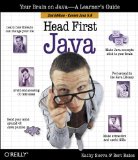
Mini-Review: Head First Java, 2nd ed. by Kathy Sierra and Bert Bates

Head First Java by Kathy Sierra and Bert Bates, cover image.
Head First Java, 2nd Edition
Head First Java is a great book for describing many of the confusing aspects of the Java language. It is easy to read, written in a light style, and it uses lots of graphics to break up long runs of text. Many of the graphics in the book illustrate key concepts of Java.

Not For Raw Beginners, But Close to It


For an experienced programmer new to Java, it can be used to learn enough about Java to get a strong basis in the language. It covers a lot of the language, enough to get someone from just starting out to the point where they're capable of carrying on learning with the official documentation or books on specific programming subjects within Java. It starts out at a point that will probably not be basic enough for non-programmers to start learning, but if the non-programmer has a mentor, or another book specifically intended for non-programmers, it will make an excellent supplement.

The Best


The most valuable parts of the book are the places where it takes concepts of object oriented programming, design patterns, and how Java works and breaks them down into bite-size pieces for the reader. It uses a number of different approaches for explaining the concepts it
covers, so the material is varied enough that it doesn't get stale with reading.

Fun Exercises


It also includes a variety of exercises so that the reader can test their knowledge. Since these take the form of puzzles, it makes it easier and more fun to do them than the standard numbered list of exercises at the end of a chapter that you get in most textbooks.

Planned Obsolescence


The book has its shortcomings, of course. One thing that I found annoying was that many of the programming examples started out flawed, purposefully, to illustrate points of features of the language. In some cases this worked, but in others the shortcomings of the initial flawed solution were so obvious at the outset that it was frustrating to keep following along with the text (even for beginners, not just for me.) In other cases, too much space was given to the bad solution before the shortcomings were described and a better approach was taken.

OO Jingoism


Also, the attempts at explaining the advantages of object oriented programming versus procedural programming are strained, and somewhat unclear in the later stages. Realistically, this is a hard argument to make since the difference between good procedural programming and object oriented programming is diminishingly small. Likewise, many procedural languages have many of the features of object-oriented languages. At any rate, the point seems somewhat forced and belabored in this book.

Clarification Unclear


Another fault is that some of the exercises are unclear as to what is expected in the way of answers. The student is left to flounder, and what looks like an attractive and fun puzzle turns into a source of frustration. In these (infrequent) instances it's best to just move on.

Artistic Annoyances


The art also falls short in places. It falls just short of being sufficiently varied. The faux-retro look slips in some places. There are thought balloons in places where speech balloons belong. These are minor niggles, but they add an edge of abrasiveness to the book and its style, particularly in the latter portions of the book.

Final Grade: 93/100, A


The book's flaws are minor in comparison to its strengths. It's a book I can heartily recommend to someone learning Java. It is usable either as a main text, or as a supplemental book where you can read clearer and more verbose descriptions of what's going on when something about Java leaves you wondering what the heck is going on.

Pros:
  • Easy to read.

  • Excellent clarifications of many concepts.

  • Fun exercises.


Cons:
  • Some presentations follow poorly laid 'false trails.'

  • Some exercises unclear.

  • Some art needs a tune-up.


Recommendation:
Buy, either for a main learning book (for experienced programmers), supplemental book (newbies or experienced), or as a backup reference for Java concepts (it's a must-have for this).


2010; Edited to Add:
This book is still one of the best out there. It's starting to get a little outdated. I can only hope that O'Reilly decides to fill a couple of trucks with cash and back them up to the homes of Kathy and Bert to induce them to produce an update for this book. It would be a shame to see such a useful and valuable book be lost due to the ongoing changes in Java.

There are other Java resources that have developed in the meanwhile, but none really take the place of this book.

Thursday, June 26, 2008

Trying Out LiveCDs

I'm still looking for a Linux or FreeBSD LiveCD for my high school computer class. I've had some success, but there's more to do. The idea is to have an OS disk that we'd run off of during class with the tools we need all there, ready to go.

No Room, No Room!

The computers in our lab at school have very limited disk space. Windows XP is installed on them, along with programs needed for other classes. That doesn't leave much room for graphics programs and development systems that I'd like to use for my classes, both the middle school and high school classes. So I thought I could use LiveCDs to solve the problem. Only the student's data files would need to be stored on the hard disk.

Belenix

I downloaded the Belenix 0.7 LiveCD the other day, because the list of packages appeared to suggest that it includes the JDK, though actually it doesn't--it was my mistake. I got impatient with scrolling through the unalphabetized list and used my browser's "find in page" function. What I missed is that there was a break in the list, between items that are on the LiveCD and packages that aren't there, but are available. So, after downloading the .iso file, burning it onto a disk, and spelunking around I find it isn't there.

OpenSolaris

I also took another look at my OpenSolaris 2008.05 disk to make sure it wasn't there. I'd seen a comment on somebody's website somewhere during my search for a LiveCD with the JDK on it (I've lost the link, I'm afraid--it was someone who used to have their own LiveCD distro with JDK that gave it up with a comment along the lines of "I'm just going with OpenSolaris, it has the JDK.")

iloog

In spite of my slip-up on Belenix, I managed to locate a LiveCD that does have the JDK on it. In fact, it's got a heap of development tools on it. It's the iloog 8.02 LiveCD. It's based on Gentoo and while it doesn't want to start up X on my newer iMac, it runs well on my older MacBook. It does very well on the MacBook, so far as I've tested it (only briefly, so far. I spent too much time on OpenSolaris and Belenix today.) It supports the MacBook's built-in mousepad (unlike OpenSolaris and Belenix) and it actually boots quickly compared to the two OpenSolaris distros. I haven't tried any networking yet, but everything else seems to function.

System Dependencies and Finally, Sabayon

Given that the Macs in the school lab are about the same age as my MacBook (Core Duos) I'm hoping that it runs as well on them. If I'm lucky I'll have a chance to try it out this week, if not, then next week. The PCs in the school lab are pretty plain-vanilla hardware-wise, so I'm less concerned about them. (If the PCs in the lab had DVD readers in them, I'd probably have just gone with Sabayon's LiveDVD and called it a day a couple of months ago.)

Tailor Made?

There's still the open possibility of making up a custom LiveCD for the class. My time is such that I don't have much opportunity for a lot of tweaking, though. Installing some apps is within reason, dinking with hardware detection and drivers is getting deeper into things than I can afford. I'll probably look at Morphix in this regard.

However, at this point iloog is looking promising. Beside Java, it has Common Lisp on board, as well as ruby and python. I think I also saw Haskell when I was poking around. There's no way I could properly cover all these in class, but if time permits I could potentially spend a class (90 minutes) on each of 2 or 3 of the non-Java languages before we start Java.

Not Groovy, Dude.

Groovy, unfortunately, was not among the represented languages on the iloog disk. As I've mentioned before, the chances of me being able to prepare a full semester of classes on Groovy for this year is pretty slim.

Edited in 2010 to add:
Epilogue

I ended up making very good use of a variety of LiveCDs by having my class try out the different OSes on the school systems. And Java worked out well in spite of its complexities and niggling demands for exactitude. Though a well rounded scripting language would be better. If Sun had ever really sorted out JavaFX, rather than going halfway and stopping, that might have served. But when they write half a language then tell you to fill in the rest with the hooks to Java, that's no solution for a classroom.

Thursday, June 19, 2008

OpenSolaris

My OpenSolaris LiveCD arrived yesterday and I've had a chance to get a first brief look at it. I ordered it as part of my search for a LiveCD that I can use as a development environment for my high school computer class. I chose OpenSolaris in part because it's not already represented in the school's computer lab (I try to expose my students to as many different OSes as I can), I like Solaris in general (ever since it got over its teething pains after the change from SunOS), and I figured there'd be a high likelihood of the JDK being pre-installed on it.

It started up fine on my iMac (Core2Duo), and presented me with a very nice desktop. It's got some nice apps installed. The audio didn't work, even though it claimed to have a driver for it, and neither the ethernet or wireless networks had compatible drivers, which was disappointing.

No JDK? On a Sun OS? Really?

A bigger disappointment was the lack of a JDK. The JRE was there, but no JDK. In fact, I didn't find any development tools on the disk at all, except for python.

I realize that the space on a CD is pretty limited when delivering a modern OS, but it seems to me that if there's room for lots of media-related apps and sample media for them on a disk, there's room for some developer tools, too.

Certainly you'd think Sun would want to make the Java SE's JDK the 21st-century's equivalent to BASIC or K&R C? I guess python's got that role, it's just a shame that python doesn't address more of the system without having to use platform-specific APIs.

Keep Looking

Well, OpenSolaris isn't entirely out of the running for my class. This particular LiveCD is, but after some searching for a LiveCD that contains the JDK I turned up BeleniX. I downloaded the latest ISO last night, hopefully I'll have time to burn it and give it a spin soon. The list of packages claims that it has the JDK version 5 (presumably 1.5), which is good enough for a beginner's class, though I'd prefer 1.6. At least I'll have the Scanner class.